
via Instagram http://ift.tt/1HfhYFQ
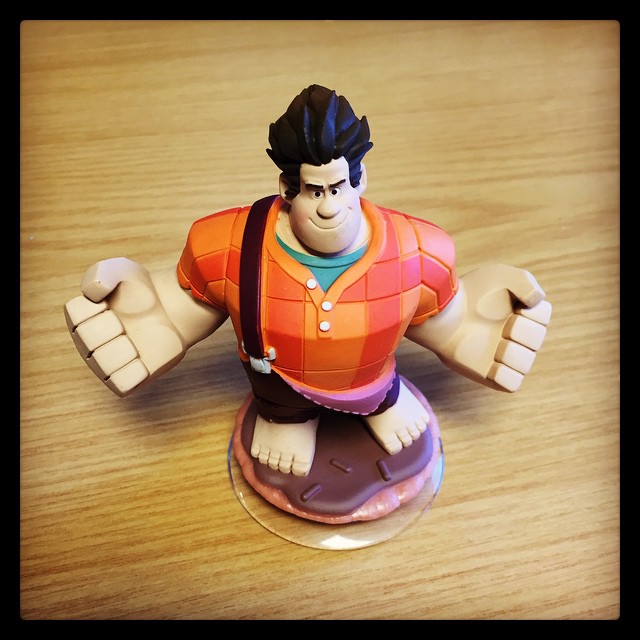
It's the Stay Puft Marshmallow Man.
(This is the fifth of a nine part, self-indulgent series about me and Apple Macs. The previous parts can be found here: 1, 2, 3, 4. Strap in, and please keep your arms and legs inside the vehicle at all times. You’ve been warned.)
OK, maybe I exaggerated a little when referring to my previous MacBook purchase as the most ridiculous. Only a year after the purchase of a glossy white MacBook, a perfectly functional and adequate machine, did I cave and buy another laptop. This was no major upgrade; no leap to a different, superior form factor, or a larger screen, or some other suitable differentiator. No, I traded my glossy white MacBook for a near-identically specced matte black 13″ MacBook (early 2008). Yup, I changed the colour of my MacBook.
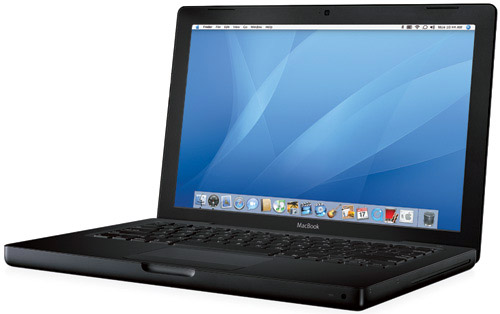
Sure, it had double the memory and storage, and a slight CPU speed bump, but it was, ostensibly, the same machine. But black. Matte black. It was also around this time that I picked up a matte black Epiphany Les Paul Junior1, so I must have had a thing for matte black at the time.
There’s not much more to say about this wholly unnecessary purchase. My previous perfectly adequate laptop had been replaced by a slightly more perfectly adequate one. The finish, whilst awesome looking, was just as bad at betraying greasy fingerprints as the glossy white finish, albeit in a different way. Also, this was the first machine I’d bought from the Apple Refurb Store, so it came in a slightly underwhelming plain brown box2, but a corresponding 15% reduction in the ticket price wasn’t to be sniffed at for an unnecessary purchase.
So that was about it. I passed the white MacBook down to Kath, and we finally got rid of the 12″ iBook, venerable old beast that it was.
Hi, my name is Marcus and I have an Apple buying problem.
This fortnight’s Pact Coffee delivery is Finca La Estrella, from Colombia.
They say:
Flavour: Milk Chocolate, Orange, Black Tea
Sweetness: Refined Sugar
Acidity: Citric (Orange)
Mouthfeel: Tea-like
We say:
Honestly, it tastes like goddamned coffee. Good goddamned coffee.
Maybe my tastebuds, after years of Twiglet abuse, have been rendered useless to all but the strongest, most over-powering flavours. Maybe I got a duff bag of coffee this fortnight. Or maybe, just maybe, the people who write these descriptions are just making shit up.
In my many years, I’ve gorged on plenty of milk chocolate. I’ve eaten an excellent sufficiency of oranges. I’ve drunk oceans of tea. And I can quite categorically say that this fortnight’s coffee tastes not one goddamn jot like any of those. Neither is its mouthfeel1 tea-like. It’s coffee-like. Because it’s coffee.
All of this hand-wavy bullshit is really annoying. Pact ship some really really good coffee. Finca La Estrella is one of those coffees. It’s delicious, without the need to project some spurious, nonsensical flavours upon it that are just plain rubbish.
So sign up to Pact. Drink their delicious coffee. And just plain ignore their marketing blurb.



Some random thoughts about both the iPhone 6 and iOS 8, after several weeks of using both.
Not as big as the iPhone 6 Plus, obviously, but for those of who thought the 4″ iPhone 5/5S was already reaching the limits of manageability, the 4.8″ iPhone 6 initially feels far too big. This feeling is mitigated slightly by the newly-bevelled edges of the phone (where the previous generation’s edges were squared off to point of being able to do damage to particularly soft skin) which make the phone much more comfortable to handle. It encourages absently playing with the phone whilst doing something else; the iPhone 3G/3GS had a similar appeal that the intervening phones never did.
Yup, it took less than a month (as it did with the transition from the 3.5″ iPhones to the 4″ iPhones) to realise that this size iPhone is the One True iPhone Size™, and all the previous iPhone sizes are noddy little toys for children. After a few weeks of using the iPhone 6, I picked up my wife’s iPhone 5S and couldn’t get over how small it felt. Strange. The most jarring comparison, though, was picking up her old iPhone 4S to reinstall it before selling it on – comically small. In the same way as we all chortle at ’80s flicks where the protagonist is chatting away on his ridiculously-sized car phone, in a few years we’ll all laugh riotously at mid ’00s flicks where phones had 3.5″ screens. Hilarious.
And I’m not the only one to think so. The problem only manifests itself on my iPad Air and my wife’s iPad Mini with retina display (and not on our iPhones 6 and 5S), and only since upgrading to iOS 8. The symptoms are the same every time: I’ll be using an app that requires some kind of network connectivity and, after a while, whatever network activity is happening will suddenly grind to a halt – progress bars will stop, spinners spin incessantly – until suddenly the iPad loses its Wi-Fi connection (from a previous two or three bars). Sometimes it eventually reconnects to the access point, and at others times I have to perform the airplane-mode-on/airplane-mode-off dance to kickstart it back into life.
I’ve tried all manner of things to fix it. Some have said that resetting network settings on the device helps. Not for me. Others say that turning off Wi-Fi networking in the Location Services settings pane helps. Nope, no dice. The only glimmer of hope I have is that it might just be a 2.4 GHz vs 5 GHz problem – my Airport Express and Airport Extreme base stations have wireless networks of both frequencies, and I predominantly use the 5 GHz one (better throughput, less interference). If I connect to the 2.4 GHz network instead, however, the Wi-Fi problem frequency certainly seems to reduce, if not disappear. Which is nice.
Irrespective of whether this works around the problem or not, this is a nasty bug. I hope a future iOS 8.x update knocks this one squarely on the head.
Really, it’s obvious now. The iOS 7 redesign introduced the concept of swiping from the left and right of the phone screen to transition backwards and forwards in the view hierarchy, in place of a dedicated back button at the top of the screen (people decried iOS 7’s ‘flatness’ as boring and unimaginative after the rich, skeuomorphic look of previous releases. Those people are idiots. iOS 7 adds far more depth than any previous release ever had by treating applications as vertical stack of views, layered upon each other on the z-axis. The system-wide swipe gesture allows movement up and down this stack (or right and left, when dealing with the actual transitions), with as many layers or levels as logically makes sense in the application in question. Smart. And certainly not flat.)
It’s quite clear now, as hindsight often is, that this shift away from a dedicated back button at the top of the view was done with one eye towards larger phones the next year, where the top of the screen isn’t necessarily the easiest place to reach (Apple even concedes this point with the new Reachability feature of the iPhones 6 and 6 Plus.) Simples.
Ugh, six years of muscle memory is a whole lot of muscle memory to overcome. And I’ll guarantee that there’s never, NEVER, a day where, once I’ve remembered where the power button is, I don’t also hit the volume up button at the same time. It can’t be done.
Finally (finally) Apple provide a mechanism that allows applications to hook into other applications. They’ve only waited 7 years, but they appear to have nailed it. 1Password is my password manager of choice, and having it easily accessible from Safari (as on OS X) is unbelievably useful. No more having to use the 1Browser app built in to 1Password, and no more having to quick-switch between applications to copy and paste a damn password. Add to this 1Password’s Touch ID integration, and we’re in password manager integration heaven.
My launch-day iPhone 6 has a slight bend to it, most obvious if it’s placed screen down on a flat surface, where it rocks corner-to-corner. Needless to say, having only just noticed it, it’s going to be presented to the Apple Genius Bar this week for judgement1. My phone is always kept in a case, and always in the front left pocket of my trousers (or on my desk, if at work), so it’s not like I’ve manhandled the thing, or sat on it repeatedly. Annoying, yes, but if the reports of Apple replacing the not-obviously-dropped ones are true, then I can’t really complain, I guess.
For me, at least, with how I use the phone, I’m back to being able to charge it every other day (I was back to daily with my old iPhone 5S and iOS 7). I don’t know whether this is due to a bigger battery, a more efficient A8 processor, or that iOS 8 has been tweaked and honed to be less power-hungry, but this is a pleasing advancement.
The iPhone 5S was awesome, but iOS 7 wasn’t totally there. The iPhone 6 is awesomer than the previous phone, and iOS 8 is appears to be very close to the goal that iOS 7 aspired to. Ultimately, It feels far more complete than iOS 7 was, and checks so many of the boxes that people had on their ‘If Only iOS Did This’ lists. It was such a comprehensive release that I’m not entirely sure what remains on those lists.
The iPhone 6 is the bigger phone that everyone wanted, in a form factor that blows the boxier 4/4S & 5/5S models out of the water2. And this is from someone who loved that boxy form factor. The way the edges of the screen curve round is aesthetic bliss; without doubt, the phone feels bigger in the hand than the previous generation but, paradoxically, also feels far more manageable and comfortable. I love it. Bending notwithstanding, there’s a fair chance that, if I was the sort of person to compile such lists, it would probably head my top-ten gadgets of all time list.


 What Did You Do, Ray?